
Dr. Geo13.10 - Google Play
You'll be able to see results in few seconds.
Publisher Description
Be a geometer with Dr. Geo: construct and manipulate interactive
geometric models. Learn geometry, mathematics (and physics, too!) visually and
interactively.
- Construct quadrilaterals and explore the properties of the
parallelogram, rectangle, rhombus or square.
- Draw a triangle and its circumscribing circle, then drag one of its
corners slowly to cross the opposite side. Visually observe why a
straight line is an "infinite circle". Get junior high school kids
motivated with the idea of "crosscap" in projective geometry and
topology.
- Learn about the symmetry you can find in car logos.
- Understand why the measures of the interior angles of a triangle
always add up to 180 degrees.
- Visualize the properties of the rectangle, isosceles or equilateral
triangles.
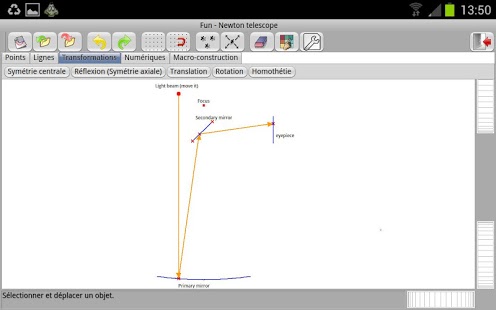
- Understand how a Newtonian telescope works and play with its model.
- Play with the Trammel of Archimedes to draw ellipse.
- Draw an ellipse, then drag one of its focii, and watch how it
gradually becomes a hyperbola.
- Move the focus of a lens in a Dr. Geo sketch, and learn how a real
inverted image morphs into a virtual upright image. Use the macro
function to stack two lens and create your microscope in Dr. Geo.
- Discover how Eratosthenes calculated the circumference of the Earth.
Plus many more to explore or to create yourself.
All in all Dr. Geo is an interactive geometry application. It allows one to
create a dynamic geometric model you can manipulate according to its
constraints. It is usable at home or at school, in primary or
secondary education level. With the free Desktop version, you can also
construct very elaborated sketches to share with your friends,
students or kids on tablet.
With Dr. Geo you construct:
- free point, mobile point on a curve, intersection point, point at
the middle of two points, or segment middle.
- line, parallel line, perpendicular line, perpendicular bisector,
angle bisector, ray, segment, vector, circle, arc, polygon, locus.
- geometric transformation: symmetry, reflection, translation,
homothety (scale).
- distance between objects, length, coordinates, equations, free text.
- macro-construction: teach Dr. Geo how to construct complex objects
for you.
When constructing an object, Dr. Geo deduces from your construction
sequence the exact nature of the object you want to construct.
For example, to construct a circle, you can:
1. select two points then Dr. Geo constructs a circle defined by its
center and a point it goes through.
2. select one point and a segment then Dr. Geo constructs a circle
defined by its center and a radius equal to the segment's length.
3. select one point and a value then Dr. Geo constructs a circle
defined by its center and a radius equal to the value.
When necessary, Dr. Geo constructs for you, on the fly, intermediate
point(s): free on the sketch, mobile on a curve or at the intersection of
two curves.
About Dr. Geo
The company that develops Dr. Geo is iStoa. The latest version released by its developer is 13.10.
To install Dr. Geo on your Android device, just click the green Continue To App button above to start the installation process. The app is listed on our website since 2013-09-25 and was downloaded 0 times. We have already checked if the download link is safe, however for your own protection we recommend that you scan the downloaded app with your antivirus. Your antivirus may detect the Dr. Geo as malware as malware if the download link to eu.drgeocv.android is broken.
How to install Dr. Geo on your Android device:
- Click on the Continue To App button on our website. This will redirect you to Google Play.
- Once the Dr. Geo is shown in the Google Play listing of your Android device, you can start its download and installation. Tap on the Install button located below the search bar and to the right of the app icon.
- A pop-up window with the permissions required by Dr. Geo will be shown. Click on Accept to continue the process.
- Dr. Geo will be downloaded onto your device, displaying a progress. Once the download completes, the installation will start and you'll get a notification after the installation is finished.
Program Details
System requirements
Download information
Pricing
Version History
version 13.10
posted on 2013-09-25
New features,Attach a value,Opaque polygon,Input text in a dialog,Text formatted in several lines,Bugs fixes,Tap and not click,Label uneasy to select and move,Slow when creating numerous items,Moving in gridded mode without the grid,Text formatted in several lines
version 13.06
posted on 2013-06-25
Several fixes and updates
Disclaimer
Official Google Play Link
We do not host Dr. Geo on our servers. We did not scan it for viruses, adware, spyware or other type of malware. This app is hosted by Google and passed their terms and conditions to be listed there. We recommend caution when installing it.
The Google Play link for Dr. Geo is provided to you by apps112.com without any warranties, representations or guarantees of any kind, so access it at your own risk.
If you have questions regarding this particular app contact the publisher directly. For questions about the functionalities of apps112.com contact us.
